Axie Studio Documentation
Welcome to the Axie Studio documentation. This comprehensive guide will help you build professional AI chat interfaces for your business with powerful features and intuitive tools.
What is Axie Studio?
Axie Studio is a platform that enables you to create custom- branded AI chat interfaces that connect to your AI flows. Deploy chat experiences in minutes, customize them to match your brand, and engage customers with intelligent conversations powered by your documents and knowledge base.
Create your first chat interface and have it live in under 5 minutes. No coding required - just configure, customize, and deploy.
Quick Start
Get your first chat interface running in minutes with our step- by- step process:

Sign In
Access your Axie Studio account and navigate to the dashboard to begin creating your first interface.
Create Interface
Go to Dashboard -> Chat Interfaces and click Create New Interface to start the setup process.
Customize
Configure branding, colors, logos, and messaging to match your brand identity perfectly.
Connect AI
Connect to your Axie Studio AI flow and configure settings for intelligent conversations.
Deploy
Your interface is immediately available at https://public.axiestudio.se/chat/your- slug
Core Features
Explore the powerful features that make Axie Studio the complete solution for AI chat interfaces:
Chat Interfaces
Create custom- branded chat widgets that match your website's design. Full control over colors, logos, messaging, and behavior with instant deployment.
Learn MoreCustom Domains
Serve your chat interface from your own domain (e.g., support.yourcompany.com) with automatic SSL provisioning and DNS verification.
Learn MoreKnowledge Base & RAG
Upload documents (PDF, DOCX, TXT) and enable AI- powered Q&A. Your documents become searchable knowledge that AI references when answering customer questions.
Learn MoreAnalytics
Track conversations, monitor engagement, and analyze performance with comprehensive analytics dashboards and detailed insights.
Learn MoreTools & Integrations
Visual workflow builder with drag- and- drop tools. Enable integrations, form handling, and custom actions with ease.
Learn MoreAPI Access
Programmatic access with API keys and v1 REST API. Integrate chat functionality into your applications and automate workflows seamlessly.
Learn MoreDashboard Overview
Your Axie Studio dashboard is your command center. Here you can see everything at a glance, manage your chat interfaces, and access all features.
What You'll See
When you sign in, you'll land on your Dashboard Home page. This gives you:

Quick Overview:
- Subscription Status: Your current plan (Free, Pro, or Enterprise)
- Usage Statistics: How many chat interfaces you're using
- Quick Actions: Fast access to common tasks
Your Chat Interfaces:
- List of Interfaces: All your chat interfaces in one place
- Quick Stats: Messages, sessions, status for each interface
- Quick Actions: Edit, view, or disable interfaces
Navigation:
- Sidebar Menu: Access to all features (Chat Interfaces, Knowledge Base, Domains, Analytics, API Keys, Billing, Support)
- Top Bar: Create Interface button, Support Center, Language selector, User Menu
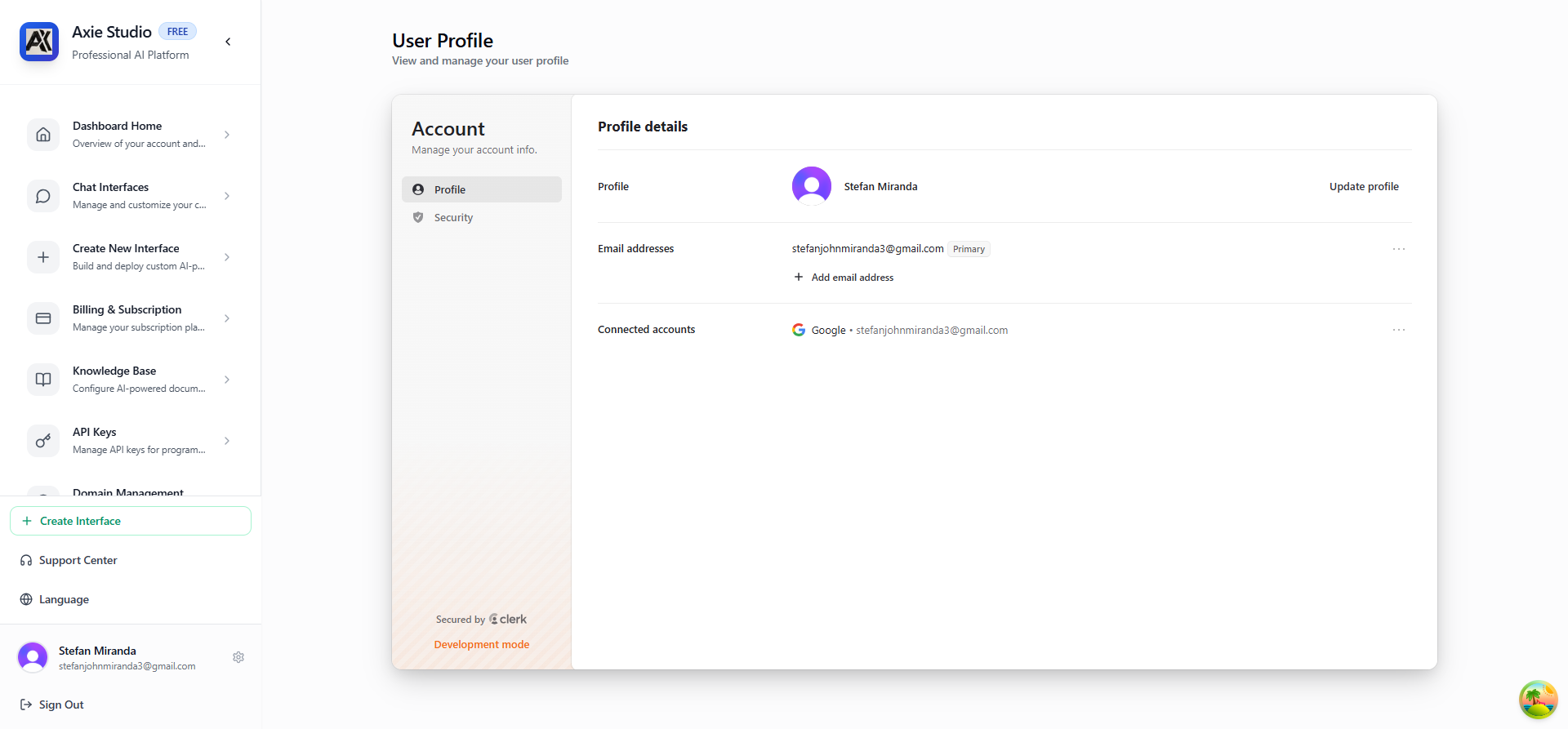
Access your user profile to manage account settings, security preferences, and view your account information.
Quick Start from Dashboard
Create Your First Interface:
- Click "Create Interface" in the top bar
- Or click "Create First Chat Interface" card
- Fill in the form
- Your interface is live!
Manage Existing Interfaces:
- Click "Manage Interfaces" in the Chat Interfaces card
- Or click "Chat Interfaces" in the sidebar
- See all your interfaces
- Click any interface to edit
Documentation Structure
Our documentation is organized into clear sections to help you find exactly what you need:
Getting Started
Begin here if you're new to Axie Studio. Learn the basics and get your first chat interface running.
Start Here ->
Core Features
- Chat Interfaces - Create and customize
- Custom Domains - Set up your domain
- Knowledge Base & RAG - Document- based Q&A with AI
- Tools & Integrations - Extend functionality
Advanced Features
- Tools & Integrations - Extend functionality
- Analytics - Monitor performance
- API & Access - Programmatic access
Management
- Billing & Plans - Manage subscription
- Enterprise - Team features
- Support - Get help
Next Steps
Ready to get started? Follow these comprehensive guides:
Create Your First Chat Interface
Step- by- step guide to creating a fully customized chat interface with branding and AI integration.
View Guide
Set Up Knowledge Base
Enable AI- powered Q&A with your documents. Upload, configure, and connect to your chat interface.
View Guide
Configure Custom Domain
Serve your chat from your own domain with automatic SSL and DNS verification.
View Guide
Need Help?
- Browse our detailed guides in each section with step- by- step instructions
- All features include examples and best practices
- Comprehensive troubleshooting sections for common issues
- Contact support through the Support Center for personalized assistance
Ready to build your first chat interface?
Get started in minutes with our intuitive interface and powerful features.
Get Started Now ->