Support Center
Get help when you need it. Axie Studio offers different support levels based on your plan.
Overview
The Support Center is your hub for:
- Email Support: Send support requests
- Phone Support: Call us (Enterprise only)
- Support Tickets: Track your requests
- Documentation: Self- service help
- Community: Connect with other users
Accessing Support
Step 1: Navigate to Support
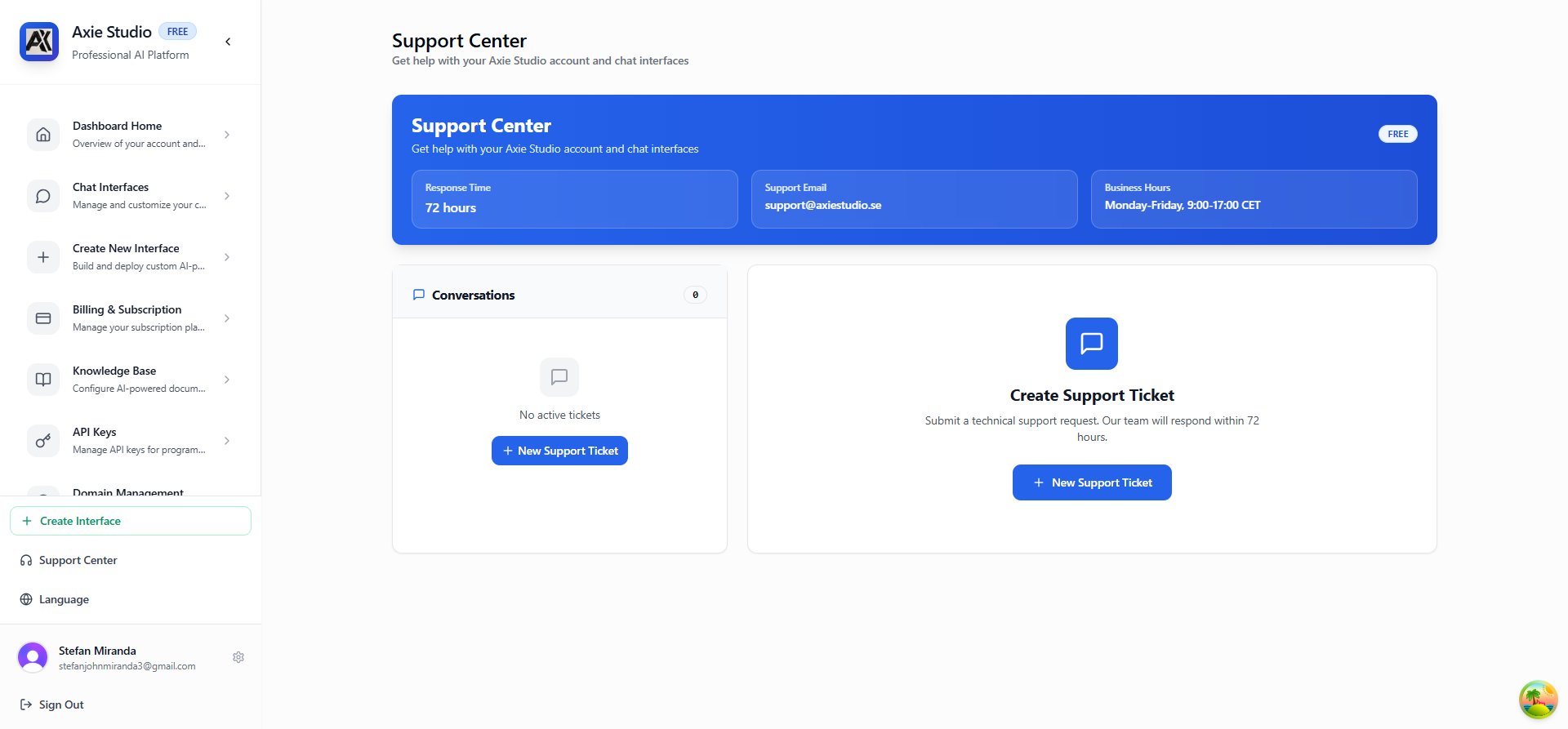
- Go to Dashboard Support Center
- Or click "Support Center" in the top bar
- You'll see the Support dashboard
What You'll See
- Support Options: Available support methods
- Your Tickets: List of your support requests
- Response Times: Expected response times for your plan
- Contact Form: Submit a new support request
Support by Plan
Free Plan Support
Available:
- Email support
- Community forum
- Documentation
- Response time: 72 hours
Best For:
- General questions
- Documentation help
- Community assistance
Pro Plan Support
Available:
- Priority email support
- Faster response times
- Technical assistance
- Integration help
- Response time: 24- 48 hours
Best For:
- Technical issues
- Integration questions
- Feature requests
Enterprise Plan Support
Available:
- Priority email support
- Phone support
- Dedicated account manager
- Custom integrations
- SLA guarantees
- Emergency support
- Response time: 2- 8 hours
Best For:
- Critical issues
- Complex integrations
- Enterprise needs
Creating a Support Ticket
Step 1: Fill Out the Form
- Go to Support Center
- Click "Create Support Ticket" or "Contact Support"
- Fill in the form:
- Subject: Brief description of your issue
- Priority: Low, Medium, High, or Urgent
- Category: Technical, Billing, Feature Request, etc.
- Message: Detailed description of your issue
Step 2: Add Details
Include:
- What you were trying to do
- What happened (or didn't happen)
- Error messages (if any)
- Steps to reproduce
- Screenshots (if helpful)
Step 3: Submit
- Review your request
- Click "Submit"
- You'll receive a confirmation email
- Ticket is created and tracked
Tracking Your Tickets
View All Tickets
In the Support Center, you'll see:
- Ticket ID: Unique identifier
- Subject: What the ticket is about
- Status: Open, In Progress, Resolved, Closed
- Priority: Low, Medium, High, Urgent
- Created: When you submitted it
- Last Updated: Last activity
Ticket Statuses
- Open: Ticket received, waiting for response
- In Progress: Support team is working on it
- Resolved: Issue fixed, waiting for your confirmation
- Closed: Ticket completed
View Ticket Details
- Click on any ticket
- See full conversation
- Add replies
- Attach files
- Update priority
Support Features
Email Support
How It Works:
- Submit a ticket via the form
- Receive email confirmation
- Support team responds via email
- Reply to continue conversation
Best For:
- Non- urgent issues
- Detailed questions
- Documentation requests
Phone Support (Enterprise Only)
How It Works:
- Request phone call in support ticket
- Provide your phone number
- Support team calls you
- Resolve issue over the phone
Best For:
- Urgent issues
- Complex problems
- Quick resolutions
Response Times
- Free: 72 hours
- Pro: 24- 48 hours
- Enterprise: 2- 8 hours (SLA guaranteed)
Common Support Topics
Technical Issues
Examples:
- Chat interface not working
- API errors
- Integration problems
- Configuration issues
What to Include:
- Error messages
- Steps to reproduce
- Screenshots
- Browser/device info
Billing Questions
Examples:
- Payment issues
- Subscription changes
- Invoice questions
- Refund requests
What to Include:
- Invoice numbers
- Payment method
- Transaction dates
Feature Requests
Examples:
- New features
- Improvements
- Integrations
What to Include:
- Use case
- Why it's needed
- How it would help
Best Practices
Be Specific
- Clear subject line
- Detailed description
- Include relevant information
- Attach screenshots if helpful
Be Patient
- Response times vary by plan
- Support team works through tickets
- Urgent issues get priority
Follow Up
- Reply to support responses
- Provide additional info if asked
- Confirm when issue is resolved
Check Documentation First
- Many questions answered in docs
- Faster than waiting for support
- Learn while you wait
Getting Help Faster
1. Check Documentation
- Search our documentation
- Read step- by- step guides
- Check troubleshooting sections
2. Search Existing Tickets
- Your previous tickets
- Common solutions
- Similar issues
3. Community Forum
- Ask other users
- Share solutions
- Learn from others
4. Contact Support
- When documentation doesn't help
- For account- specific issues
- For technical problems
Enterprise Support
Dedicated Account Manager
Enterprise customers get:
- Personal contact
- Proactive check- ins
- Custom solutions
- Priority handling
SLA Guarantees
Enterprise includes:
- Response time guarantees
- Resolution time commitments
- Uptime guarantees
- Performance SLAs
Emergency Support
For critical issues:
- 24/7 availability
- Immediate response
- Escalation process
- Direct contact
Next Steps
- Read Documentation
- [Create Chat Interface ](/docs/chat- interface/intro)
- [Manage API Keys ](/docs/api- keys/intro)
Need help? Go to Dashboard Support Center Create Support Ticket!